
Count The Cost
Category: MS Access
Problem
When bidding on a large construction job it is important to get the numbers right. Too high and you loose the bid. Too low and you either don’t get the bid or you loose money on the Job do to a poor estimate. First problem is Excel is extremely accident pron, especially when copy and pasting numbers, or selecting cells. Second problem is that there are three different ways to estimate a welding/construction job. Much of the work is duplicated to calculate these three numbers. I wanted a way to reduce errors and speed up the math.
Action
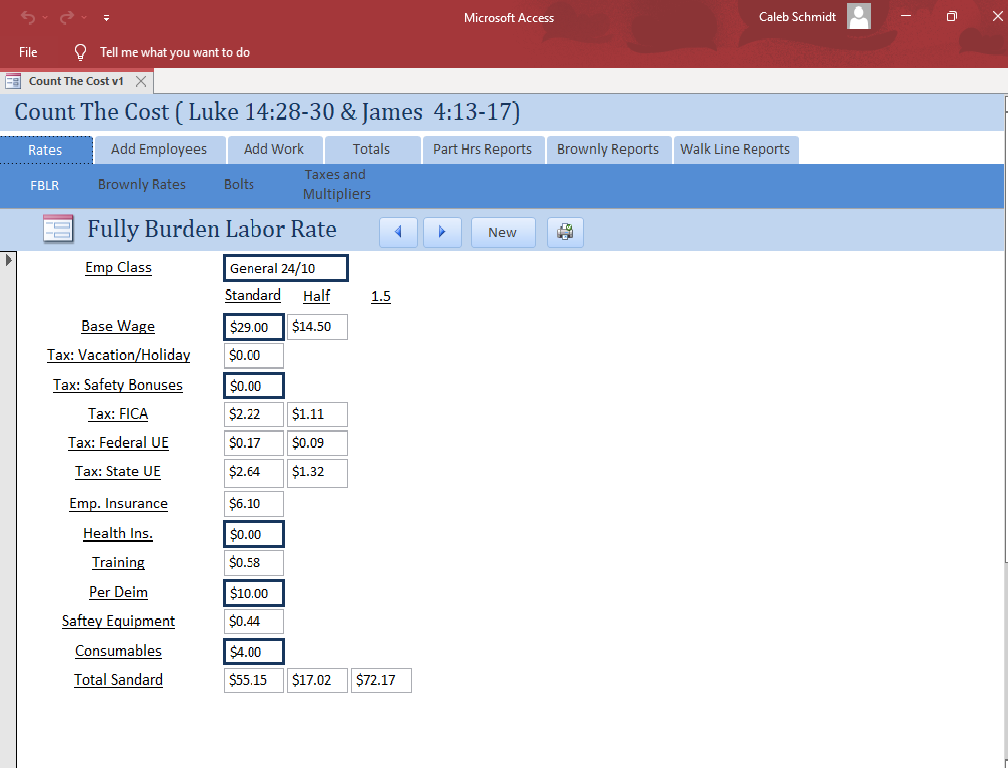
Microsoft Access with some Visual Basics for Applications seemed to be an easy way to prototype the app and get up and running quickly. I could easily import the man hour tables and make adjustments on the fly. Access also has built in reporting, which is import for the boss to see. With Access as the frame work I was able to build out the app in three parts. First part is entering in the raw labor, taxes, man hour rates, multipliers. The second part for entering the parts, number of welds, raw material, etc. The third part is the reporting and comparison between different estimation methods.
Result
The result was amazing! We could could quickly see the price difference between estimation methods. This would give us a high to low range which to bid within. It also eliminated double entries and errors. It helped us to easily identify if anything was missing from the estimate. A bonus was once the parts were entered we could export the list and send it directly to our suppliers for quote, insuring we had up to minute costs. We were more competitive and saved so much time. The program was so well loved by another employee that he asked to use it for is own startup business.
Check it out! Count The Cost GitHub: https://github.com/kalevnakah/CountTheCost