
Sketchnoting: A Visual Approach to Computer Guts
As educators, how often do we see students doodling in the margins of their notes? That used to be me.
When I was in school, there was only one way to take notes. That was to copy them. Either from the teacher’s notes from the board, the key text from the textbook, or fill-in-the-blanks with vocab. I remember taking so many notes that I would have permanent indents on my fingers from the pencil. Looking back, I’m not convinced this pedagogy was all that effective.
As a kid and an adult, the only way I could pay attention to a sermon or a lecture was to doodle or to fold the bulletin into origami. Most adults assume or have been indoctrinated into believing that someone is doodling or reconfiguring their well-structured notes into art, that they are not paying attention, not learning, and being a distraction to others, but I assure you, my attention was more focused than ever. When I started turning the sermons into drawings that highlighted the key points, that’s when I really started getting more out of the message and not immediately forgetting them as soon as I left the church parking lot.
I was reminded of the power of sketch noting when I was listening to “Integrate This! Ed Tech Podcast” featuring sketchnote artist Manuel Herrera, who discussed the power of visual thinking and offered practical tips for bringing it into the classroom. His journey as an educator and illustrator, coupled with live demonstrations, reminded me of how effective this is.
Podcast Reference: You can check out the podcast on YouTube:
https://youtu.be/GHoUJU6WLSg?feature=shared
Explore more of Manuel’s work at
manueldraws.com
From Dissection to Doodles
My initial approach to teaching computer components involved a hands-on dissection of old computers. This provided an excellent visual and tactile experience, but it didn’t fully address how and why these components work together. My next step was a traditional Google Slides lecture, which, while informative, felt like it was missing something.
This is where sketchnoting came in.
During the lecture and discussion, I had students draw the different components. I told them they could use these visual notes for their upcoming test. We brainstormed symbolic images and icons for each part, encouraging them to think creatively.
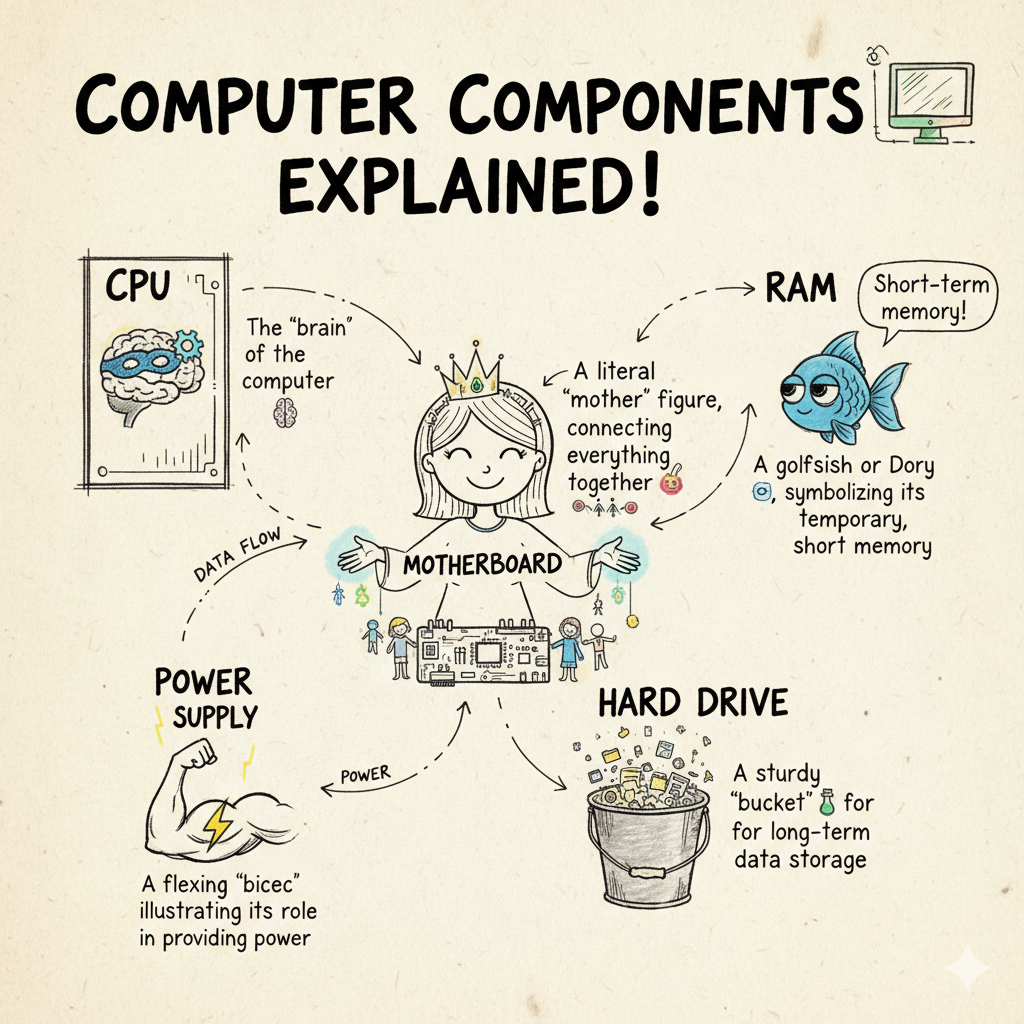
The results were fantastic! We developed a set of memorable, symbolic representations for each key component:
-
CPU: The “brain” of the computer 🧠
-
Motherboard: A literal “mother” figure, connecting everything together 👩👧👦
-
RAM: A goldfish or Dory 🐠, symbolizing its temporary, short-term memory
-
Hard Drive: A sturdy “bucket” 🪣 for long-term data storage
-
Power Supply: A flexing “bicep” 💪, illustrating its role in providing power
The Impact: Anchors for Learning
This experience reinforced the power of integrating visual thinking into our lessons. Sketchnoting not only boosted engagement but also offered a unique and effective way for students to process and retain information. If you’re looking for a fresh approach to a complex topic, I highly recommend giving it a try—it might just be the creative spark your classroom needs!
More importantly, this technique provided them with a strong " anchor image “ for each concept. This visual connection made it significantly easier for them to recall the function and purpose of each component during review and on the test. They weren’t just memorizing definitions; they were building a visual language for their learning. Reference
Disclaimer: This blog was co-written with the help of AI.